Self-hosted identity
Sign-in on your own domain.
Hellenic Identity is an OAuth 2.0 identity server you run yourself: one Go binary, one PostgreSQL database, and an admin panel for your users, their schema and your client.
Setting up a server? The self-hosting guide takes you from config.yml to a running server.
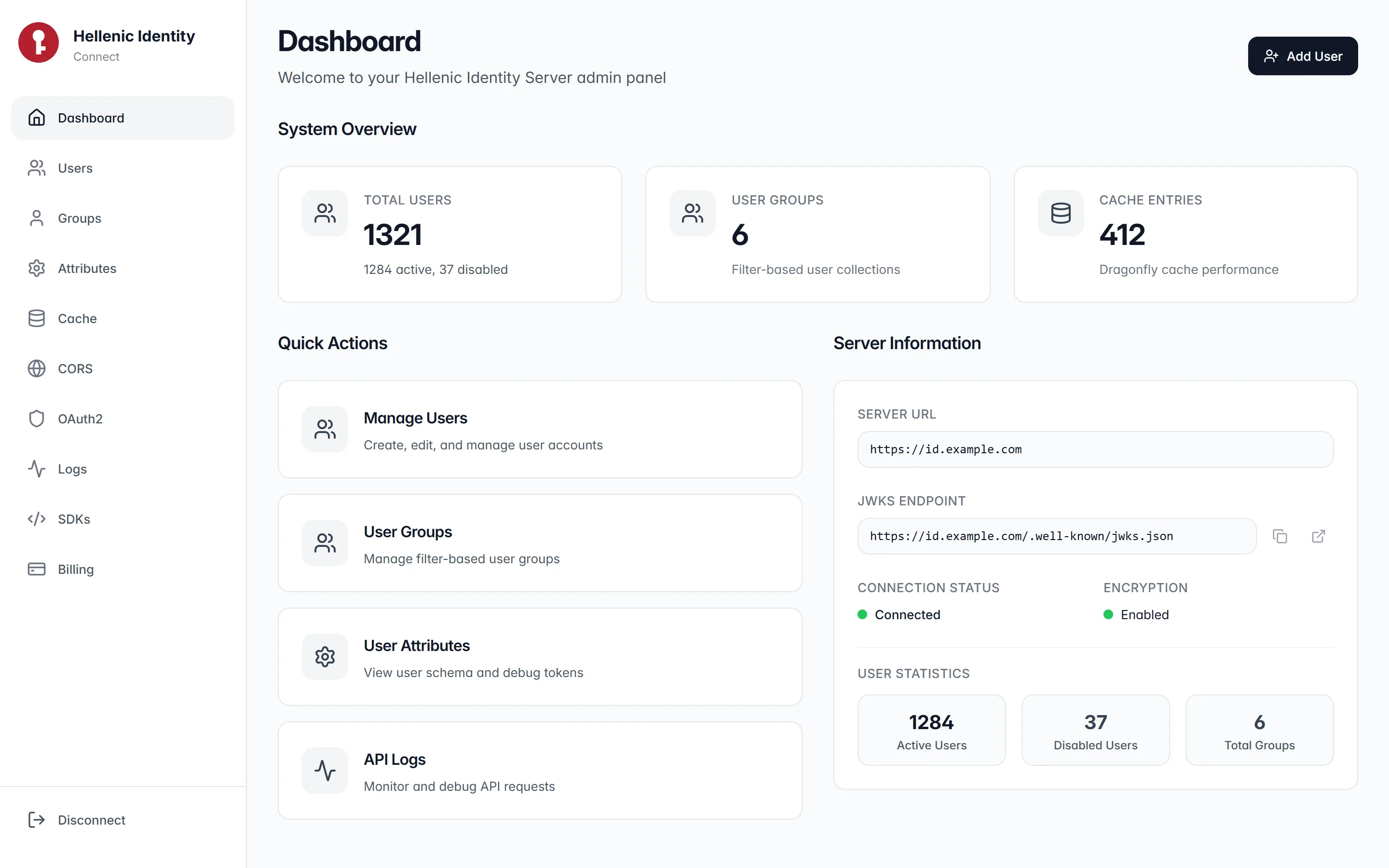
Shown with sample data. Click a screen to enlarge it.
One binary
A Go program built on the Iris web framework. It creates its tables on first start and needs no other service to sign users in.
One database
PostgreSQL holds users, groups, clients and usage. Dragonfly or Redis is optional and only caches responses.
Your domain
Tokens, keys and the CORS allowlist live where you run it. The allowlist is edited at runtime from the panel.
Sign-in
Four grants, one key set.
Access tokens are JWTs signed with Ed25519. Publish the keys at /.well-known/jwks.json and every service verifies on its own, or asks the server.
- Authorization code
- A single-use code, a state check, and a redirect URI pinned on the server. The client secret is required at the token step.
- Device code
- For terminals and TVs. The server ships its own consent screen and remembers the decision in a cookie.
- Password
- For first-party apps that hold the credentials themselves.
- Refresh token
- Per-client lifetimes. Bump a client’s version and every token it ever issued is invalid.
// Ask the server whether a token is still good.
const res = await fetch('https://id.example.com/oauth2/token/introspect', {
  method: 'POST',
  headers: { 'Content-Type': 'application/json', 'X-Token': serverToken },
  body: JSON.stringify({ access_token: token }),
});
const claims = await res.json(); // { username, exp, client_id, ... }- Introspection.
POST /oauth2/token/introspectreturns the token's claims. - Enrichment. Mint a token with extra claims for a session that needs them.
- Lifetimes per client. Code, access and refresh ages set on the client.
- Mass revocation. Bump the client version; older tokens stop verifying.
Users and schema
Describe your users once.
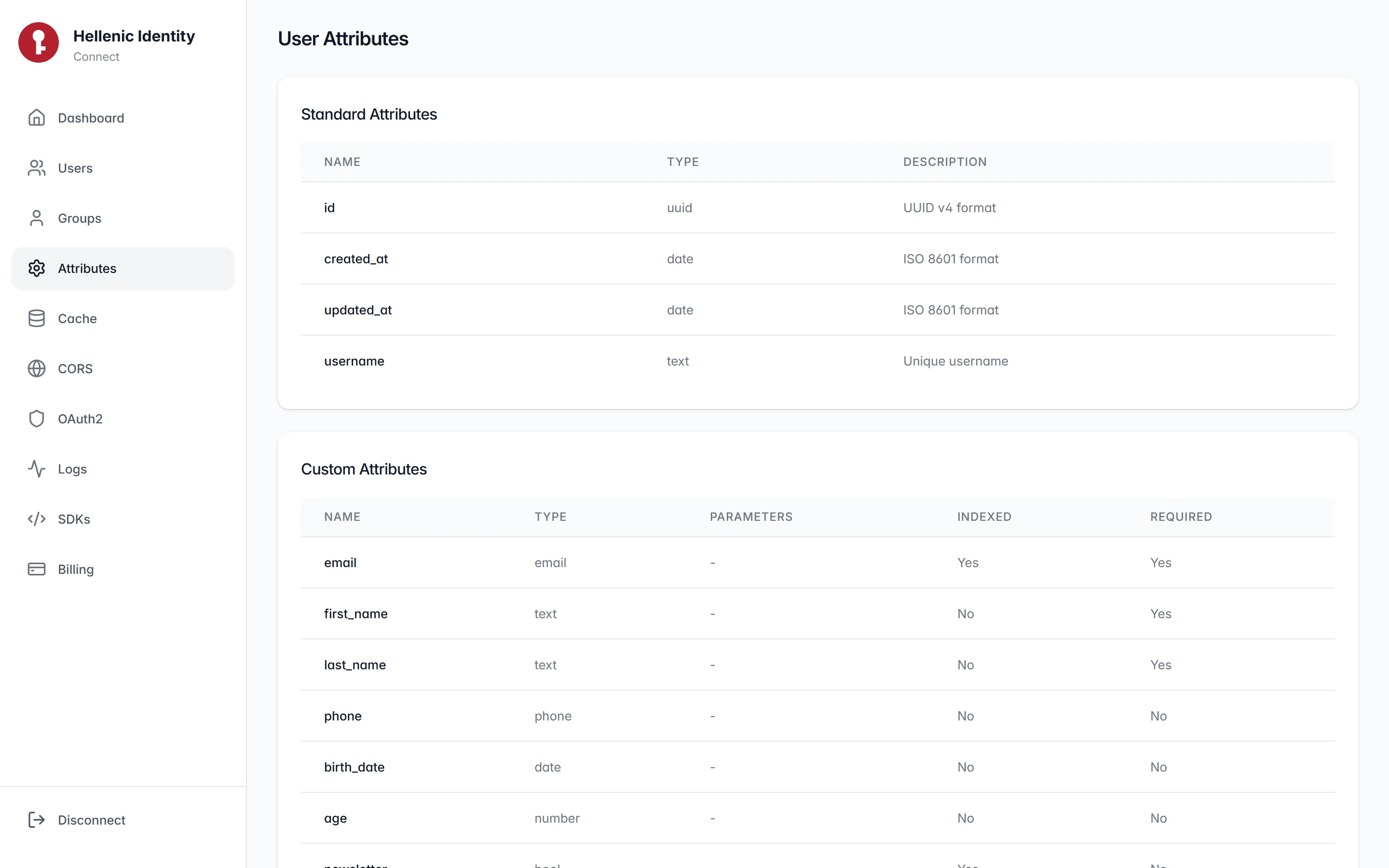
Custom attributes are declared in the server's config with a type each. Mark a field required, or indexed for fast filtering. The panel and the API follow the schema from then on.
- text
- number
- date
- phone
- bool
- slice
- map
- uuid
Passwords
Never in the clear, not even inside TLS. The SDKs encrypt each password with AES-GCM under a key you share with the server, so a recorded exchange stays sealed against a quantum computer that breaks the TLS key exchange. At rest, a bcrypt hash.
Lifecycle
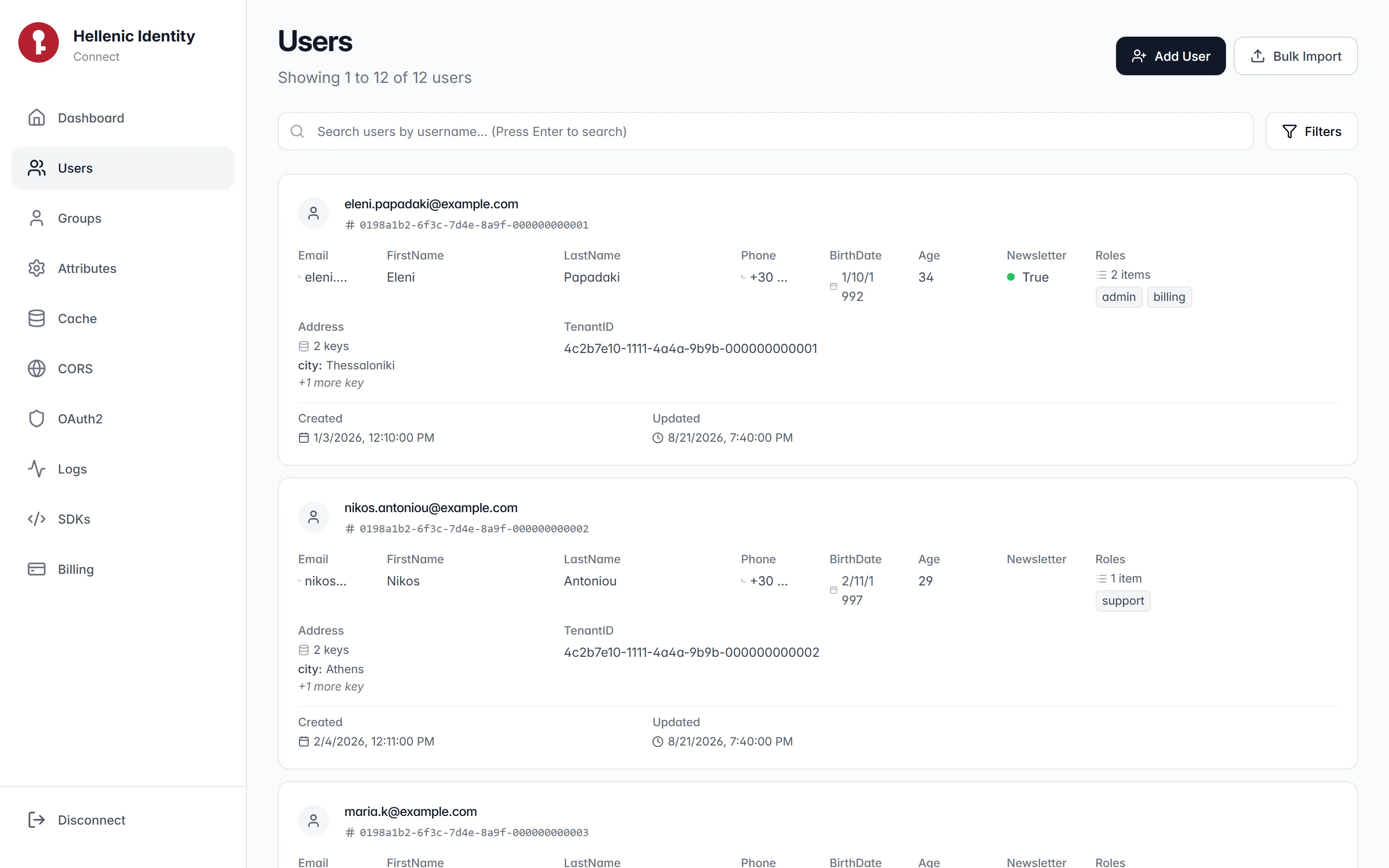
Sign up one user or import a thousand. List with filters and pages. Soft delete, restore, and reset passwords, one at a time or in bulk.
Groups are filters
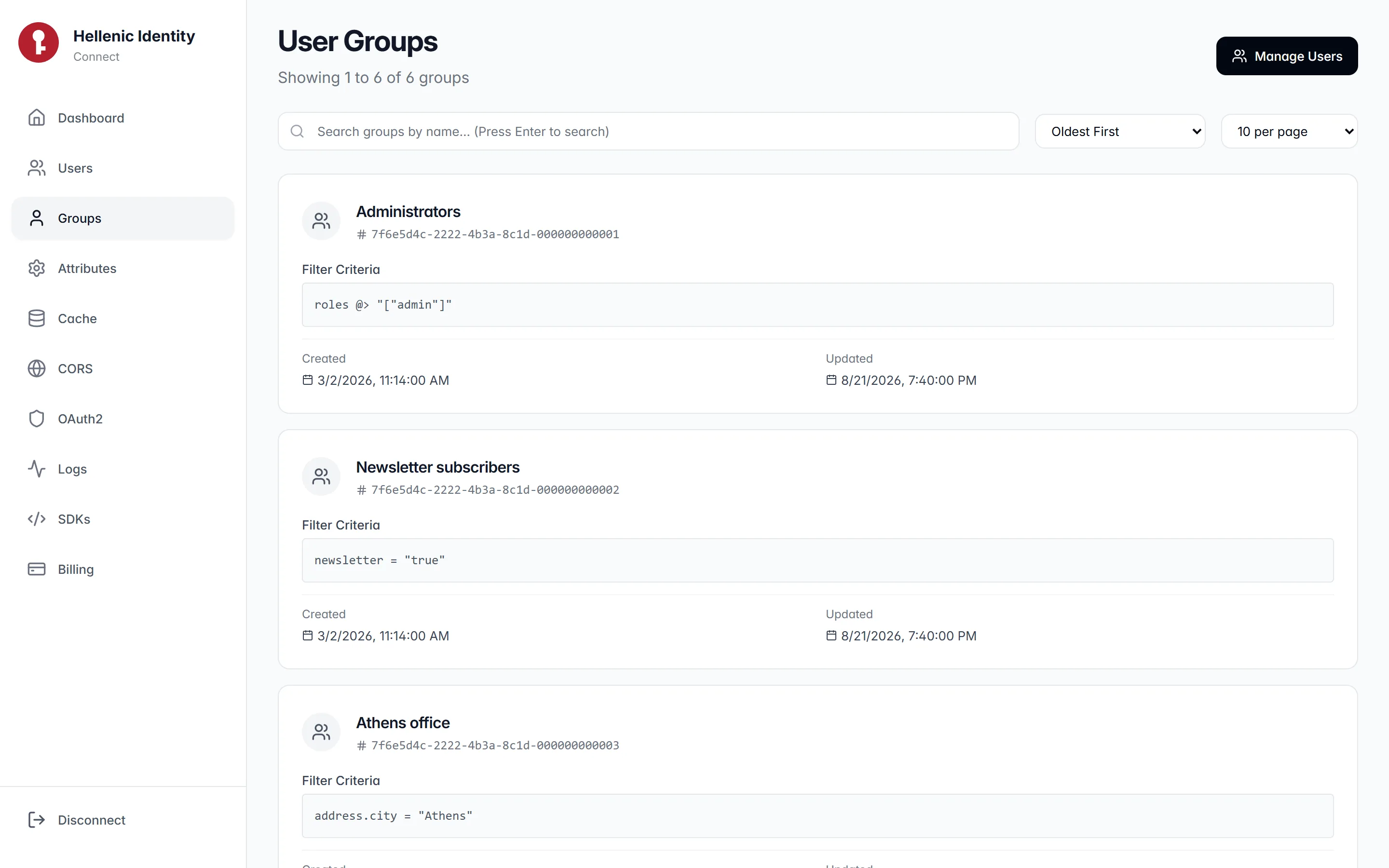
A group is a saved filter over columns and attributes, nested paths included. Membership is computed when you ask for it, never stored.
- =
- IS
- IS NOT
- ILIKE
- @>
- #>>
- <
- >
- <=
- >=
- AND
- OR
The admin panel
Everything from one panel.
Dashboard, users, groups, attributes, cache, CORS, the OAuth2 client, a request log, SDK snippets and billing. It runs in your browser against your server and keeps its token locally.
Operations
Cache, CORS, and the bill.
Response caching
Reads are cached in Dragonfly or Redis and writes invalidate the routes they touch. The panel shows the entry count and can flush.
CORS at runtime
Origin patterns are stored in the database and reloaded on save. Add a front end without restarting the server.
Metering
Every request records its seconds, megabytes and CPU per client. The billing endpoint totals them.
SDKs
Go and C#, the same sixteen calls.
The Go SDK is the Iris auth SDK, shipped with the server. The C# SDK is Hellenic.Identity.SDK on NuGet, open source, with an ASP.NET Core authentication handler. Both sign users in, verify tokens against your JWKS, encrypt passwords, and manage users.
// The Iris auth SDK fetches /.well-known/jwks.json
// once and verifies every token locally.
sdk, err := identity.New[User](identity.Options{
    BaseURL: "https://id.example.com",
    Token:   serverToken,
})
claims, err := sdk.TokenIntrospect[Claims](ctx, accessToken)// dotnet add package Hellenic.Identity.SDK
var signin = await client.UserSigninAsync(
"user@example.com", "password");
var valid = await client.VerifyTokenAsync(
signin.AccessToken); // local, against the JWKS
var claims = await client
.TokenIntrospectAsync<Dictionary<string, object>>(
signin.AccessToken);Get started
Three steps.
- 1
Run the server
Write a
config.yml, or let the wizard generate one with keys. Start the binary; it prints the server token and the encryption key. The guide covers Docker, Azure, Cloud Run and a plain VM. - 2
Open the panel
Enter your server URL and the token at /connect. The panel talks to your server directly and stores nothing anywhere else.
- 3
Integrate
Add the Go or C# SDK to your apps, point it at your server, and verify tokens against your JWKS on every request.
Questions
Before you run it.
Which OAuth 2.0 grants does it support?
Authorization code, device code with a built-in consent screen, password, and refresh token. Access tokens are JWTs signed with Ed25519 by default; refresh tokens can be encrypted with AES-GCM on top.
How do my services verify a token?
Fetch the public keys once from /.well-known/jwks.json and verify locally, which is what the Go and C# SDKs do at startup, or call POST /oauth2/token/introspect and let the server answer.
How are passwords protected?
A password never travels in the clear, not even inside TLS. The SDKs and the panel encrypt it with AES-GCM under a symmetric key you share with the server, so a recorded exchange stays sealed even against a quantum computer that breaks the key exchange of TLS. At rest it is a bcrypt hash. The algorithm sits behind one function on each side, so it can be replaced without touching the protocol.
Does it support OpenID Connect?
Not in this version. It is an OAuth 2.0 server with a JWKS endpoint, token introspection and token enrichment; the OpenID Connect layer is not switched on yet.
What does it need to run?
One Go binary and a PostgreSQL database. Dragonfly or Redis is optional and only used for response caching, which the panel can switch off.